LinkedIn Sales Navigator Extension Guide
People searching for a LinkedIn Sales Navigator extension typically want faster lead capture, verified contact details, or a cleaner path from LinkedIn research into CRM and outbound sequences. The right extension depends on which of those jobs matters most. This guide covers the top LinkedIn Sales Navigator extensions, including the Sales Navigator Chrome extension and other LinkedIn prospecting extensions, to help you choose the best tool for your workflow. Whether you need to export leads with one click, find accurate email addresses, or sync data directly to your sales tools, the options vary in speed, data quality, and integration depth. We break down the key features, pricing, and use cases for each extension so you can match the right one to your specific prospecting needs.
How Sales Navigator browser extensions and companion tools help reps capture leads, enrich contacts, and push prospects into CRM or sequences.
What a Sales Navigator Extension Does
A Sales Navigator extension is a browser add-on that overlays LinkedIn's interface with prospecting tools. It pulls profile data, search filters, and lead lists from your Sales Navigator subscription directly into the standard LinkedIn view, so you can export contact details, log activities to a CRM, or sequence outreach without switching tabs.
- For example, with LeadIQ or Lusha installed, you can click a profile and instantly get a verified email or phone number, then push that lead into your pipeline.
- A common mistake is assuming the extension replaces Sales Navigator itself.
- The extension only works if you have an active Sales Navigator seat, because it relies on that plan's search credits and data access.
It does not. If you try to use it with a free LinkedIn account, you will hit rate limits and see incomplete profiles. Another error is picking an extension based on price alone. LeadIQ charges per seat and includes CRM sync, which matters if your team logs every call.
Lusha offers pay-as-you-go credits, better for occasional use. To decide, match the extension to your prospecting volume and workflow. If you only need occasional contact data, a credit-based tool like Lusha keeps costs variable. Test the extension on 20 profiles from your target industry before committing.
Check that it supports the CRM you use and that its data refresh rate matches your sales cycle. A slow or inaccurate extension wastes more time than it saves.
Extension Types Buyers Confuse
Buyers often confuse three distinct extension types when evaluating LinkedIn Sales Navigator tools. This extension adds lead and account filters directly into LinkedIn's interface, letting you save profiles to lists and see Sales Navigator data without leaving a profile page.
- The second type is a dedicated prospecting extension like LeadIQ or Lusha, which captures profile data and sequences outreach from LinkedIn.
- The third type is a data enrichment extension such as Apollo, which pulls contact information and company intel from its own database, often overlapping with Sales Navigator's native data.
- The most common mistake is assuming a prospecting extension replaces Sales Navigator's native filtering and list management.
A LeadIQ user who skips Sales Navigator loses access to Boolean search, saved lead lists, and InMail credits. Conversely, relying solely on Sales Navigator's extension without a prospecting tool means manually copying data into your CRM. The decision rule is simple: if you need advanced search and list building, start with Sales Navigator's extension.
If you need automated data capture and outreach, add a prospecting extension. Never buy a data enrichment extension expecting it to filter leads the way Sales Navigator does. Tradeoffs appear in data freshness and cost. Sales Navigator's extension shows real-time profile changes because it pulls from LinkedIn directly.
Prospecting extensions often cache data for days, risking stale phone numbers or job titles. Apollo's extension offers cheaper per-contact pricing but may return outdated records. Match the extension type to your primary workflow: search first, then capture.
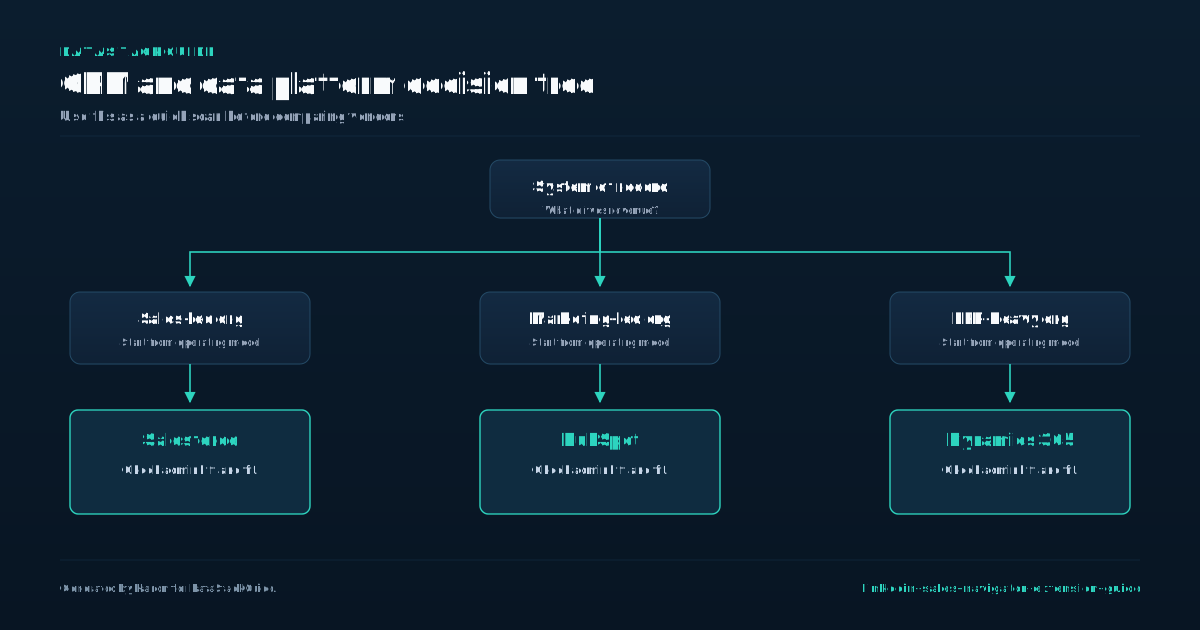
Lead Capture and CRM Push Workflows
The core value of a Sales Navigator extension is its ability to move a profile's data into your CRM or sales engagement platform with one click. Without this workflow, you are manually copying names, titles, and company details, which introduces errors and kills momentum.
- The mistake most buyers make is choosing an extension based on the number of leads it can pull per month rather than the quality of the data mapping and deduplication logic.
- For example, LeadIQ and Apollo both offer Chrome extensions, but LeadIQ excels at capturing data directly into Salesforce sequences, while Apollo's strength is its built-in database enrichment.
- If your team relies on strict CRM hygiene, prioritize an extension that checks for duplicate records before pushing a new lead.
Pricing models vary significantly and directly affect your workflow. The real cost comes from the third-party tool you pair with it. LeadIQ charges per user with a limited number of credits for email verification and sequence enrollment, while Lusha offers pay-as-you-go credits for contact data.
A common mistake is buying a high-volume plan from Apollo or Lusha without testing whether the extension correctly parses fields like "decision maker" or "department.". A bad mapping can push a VP of Engineering into the "job title" field as a generic string, breaking your CRM filters.
Your decision rule should be simple: test the extension with your actual CRM before committing to an annual contract. Run a batch of 20 leads from a Sales Navigator list and check if the extension correctly assigns lead owner, source, and custom fields.
If the tool requires manual field mapping every time, it will slow your reps down. Tradeoffs exist between speed and accuracy. A tool that auto-enriches with Apollo's database might overwrite a correct phone number with a bad one.
For outbound teams, the priority is speed, so a tool like LeadIQ that offers one-click sequence enrollment is better. For account-based teams that need pristine data, Lusha's manual verification step is worth the extra click.
Email and Phone Reveal Workflows
The core promise of any LinkedIn Sales Navigator extension is surfacing contact data, but the workflow for revealing emails and phone numbers varies sharply by tool and plan.
- A LeadIQ or Lusha extension typically pulls data from its own database and may require you to verify a certain number of contacts per month before revealing full details.
- Apollo, by contrast, often shows email and phone directly on the profile card, but the accuracy drops for senior titles or niche industries.
- A common mistake is assuming one extension covers all use cases: if you prospect heavily in finance or legal, test the reveal rate for those verticals before committing to a paid plan.
Your Sales Navigator plan level directly affects what an extension can do. A Basic (Lite) plan limits profile views per month, so an extension that auto-opens profiles to reveal data can burn through that quota in hours. Team or Enterprise plans remove that cap, making high-volume reveal workflows viable.
A practical decision rule: if you need more than 50 reveals per day, upgrade your Sales Navigator plan first, then choose an extension that charges per contact rather than per seat. LeadIQ's per-contact pricing works well here; Lusha's per-seat model penalizes heavy users. The tradeoff between reveal accuracy and cost is unavoidable.
Cheap extensions often surface stale or guessed data, especially for phone numbers. The fix was switching to a higher-priced plan from Lusha or Apollo that includes real-time verification. Before buying, run a 50-contact test across your target titles and companies.
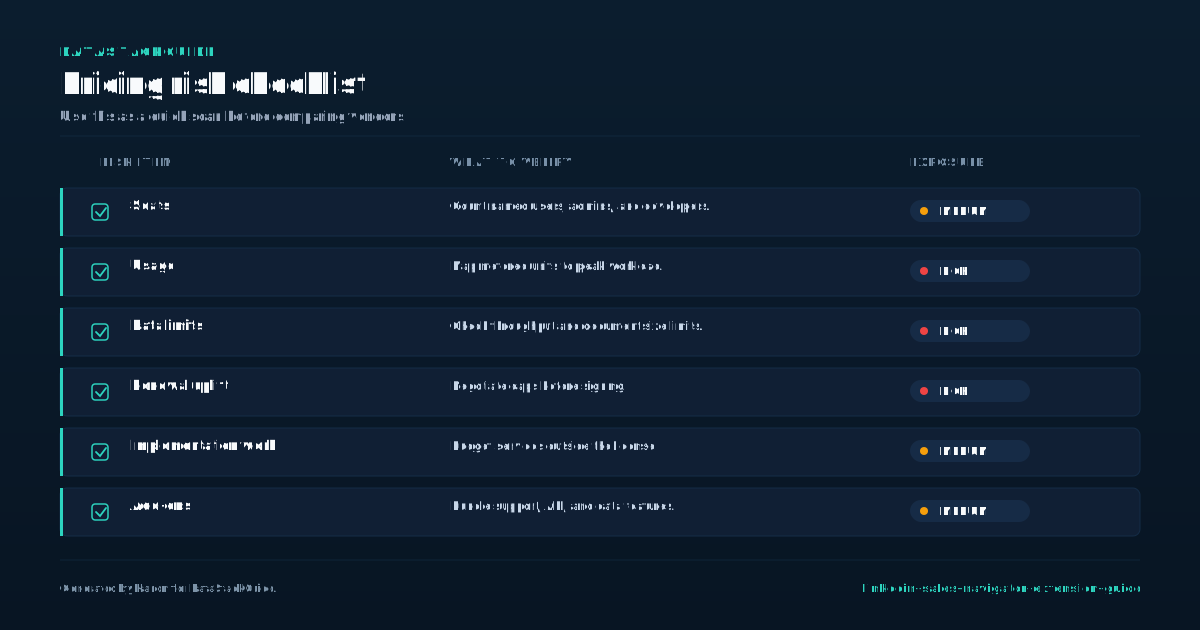
Permissions, Compliance, and Data Hygiene
The Sales Navigator Chrome extension requests permissions to read and modify data on LinkedIn pages, which raises legitimate compliance concerns for B2B teams. When you install the extension, it needs access to profile URLs, search results, and your session data to function.
- The practical risk is not about LinkedIn banning your account, which rarely happens for standard use, but about how your team handles the exported data.
- For example, if your sales team uses LeadIQ or Apollo to pull contact details from Sales Navigator profiles, those tools store that data on their servers.
- Your company becomes responsible for how that data is used under GDPR or CCPA, even if the tool handles the technical collection.
A common mistake is assuming that paying for a Sales Navigator plan absolves you of data hygiene duties. It does not. The extension gives you visibility, but the compliance burden shifts to your internal processes. A concrete decision rule is to set a data retention policy before your first export.
Decide how long you keep prospect emails and phone numbers pulled via Lusha or Apollo, and enforce deletion after that period. Teams that skip this step often end up with stale lists that violate privacy rules and waste time on outdated contacts. The tradeoff between data volume and hygiene is real.
Extensions like LeadIQ offer bulk export features, but using them without filters pulls in low-quality leads that hurt your sender reputation. A better approach is to use the extension to enrich only the profiles you have already qualified through manual review.
This reduces compliance risk and improves response rates because you are contacting people who actually fit your ideal customer profile. The extension is a tool for precision, not for hoarding contacts.
How Reps Should Use Extensions
The Sales Navigator extension is a tool for speed, not for strategy. A rep who opens a profile, clicks the extension, and copies a phone number into a cold call script is wasting the data. The extension pulls firmographic changes, mutual connections, and recent posts.
- Use that information to write a two-sentence opening that references a specific trigger event, like a funding round or a job change.
- The mistake is treating the extension as a contact database instead of an intelligence feed.
- Pricing and plan limits shape how you use the tool.
If your team has 10 reps on Core, each rep gets a limited monthly credit pool per month. That forces you to prioritize high-fit accounts over broad prospecting. LeadIQ and Apollo offer cheaper per-seat options but cap export volumes. The tradeoff is between LinkedIn's native data accuracy and third-party enrichment that may include stale contacts.
Lusha charges per contact credit, which works for small teams but becomes expensive at scale. Never export a list of a focused contact sample and blast them. The extension is a scalpel, not a fire hose.
Reps who treat it as a fire hose burn through credits, annoy prospects, and get flagged by LinkedIn's spam detection.
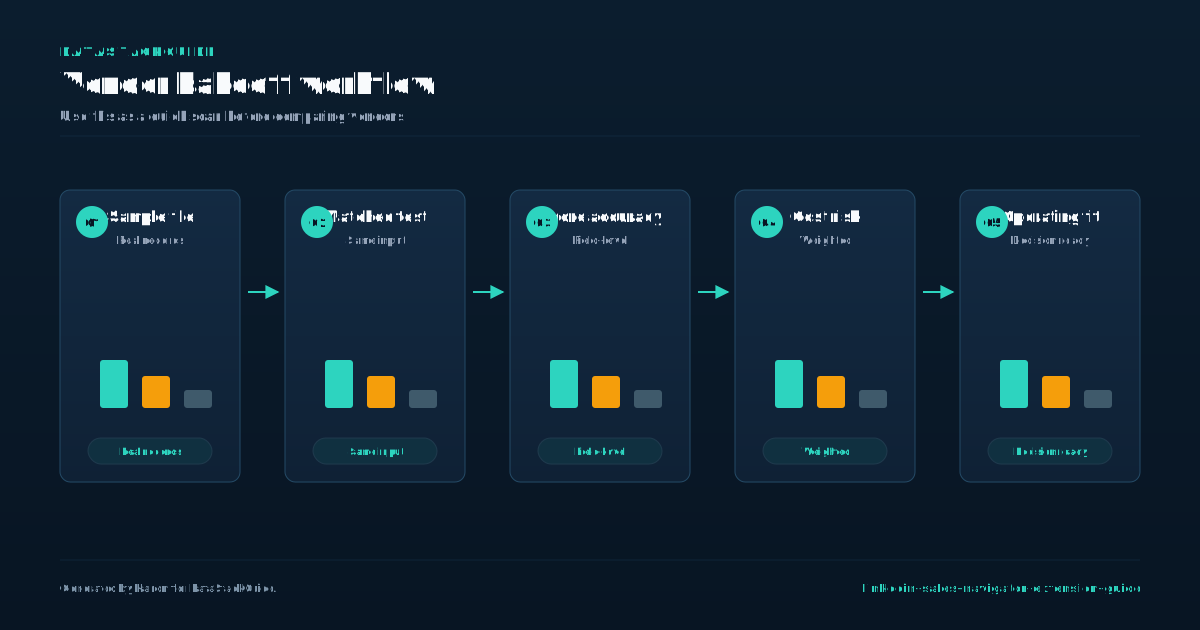
When an Extension Is Not Enough
An extension pulls profile data and adds a few buttons to your browser. That is useful for quick lookups and one-off outreach. But when your team runs multiple campaigns across dozens of lists, the extension becomes a bottleneck.
- You cannot schedule sequences, sync activity to your CRM, or deduplicate contacts across accounts.
- Your team targets 500 VP-level prospects in manufacturing.
- With the extension alone, each rep manually copies data into a spreadsheet, then pastes it into an email tool.
The extension is a front door. It does not build the house. Consider a concrete scenario. That process takes 45 minutes per 100 profiles and introduces errors in company names and titles.
A dedicated prospecting platform like LeadIQ or Apollo automates that capture, enriches the records with verified emails, and pushes them directly into your CRM. The time drops to 10 minutes and accuracy improves. The tradeoff is cost. If your team sends fewer than 200 outreaches per month, the extension plus manual work may be cheaper.
Above that threshold, the platform pays for itself in rep hours saved. The decision rule is simple.
If your outreach volume exceeds a focused contact sample per month per rep, or if you need to maintain a clean CRM with activity logging, the extension alone will cost you more in wasted time than a platform subscription.
If you are a solo operator doing high-touch, low-volume outreach, stick with the extension. For any team scaling outbound, the extension is a starting point, not a solution.
Extension Evaluation Checklist
Before you commit to any LinkedIn Sales Navigator extension, run it through a three-point checklist that separates useful tools from data scrapers. First, verify how the extension handles profile data.
- Many free or cheap extensions pull visible profile information and store it on their own servers, which violates LinkedIn's terms of service and can get your account restricted.
- The official LinkedIn Sales Navigator extension works only with active Sales Navigator subscriptions and respects platform limits.
- Paid tools like LeadIQ and Apollo maintain compliance by requiring users to manually trigger data capture, reducing automated scraping risk.
If an extension promises bulk profile exports without user interaction, treat it as a red flag. Second, test the extension's integration with your existing CRM or sales engagement platform. A common mistake is choosing a tool that exports data into a CSV file instead of pushing directly into Salesforce or HubSpot.
This creates extra manual work and data entry errors. Lusha's extension, for example, offers one-click enrichment that writes phone numbers and emails straight into your CRM fields. Apollo's extension syncs activity logs and sequence enrollment automatically. If your team uses multiple tools, confirm the extension supports bidirectional sync, not just one-way data transfer.
Third, evaluate the pricing model against your actual usage patterns. LinkedIn Sales Navigator plans cost roughly 100 dollars per seat per month, and the official extension is included. Third-party extensions add 30 to 80 dollars per user per month on top of that.
If you prospect fewer than 50 profiles daily, a pay-per-contact model from LeadIQ may cost less than a flat subscription. If your team sends 200 connection requests per week, Apollo's unlimited plan avoids per-action fees.
The tradeoff is that cheaper per-contact tools often limit data fields or require manual verification, while flat-rate tools include phone numbers and intent signals. Choose based on your weekly volume, not the advertised monthly price.
Tools Mentioned in This Guide
Related Categories
Sources
Frequently Asked Questions
Does LinkedIn Sales Navigator have a Chrome extension?
Yes, LinkedIn Sales Navigator offers a dedicated Chrome extension. It integrates Sales Navigator features directly into your browser, allowing you to view lead and account insights, save prospects, and use advanced search filters while browsing LinkedIn or other websites.
To use it, install the extension from the Chrome Web Store and log in with your Sales Navigator account. This tool is essential for efficient LinkedIn prospecting.
What is the best extension for Sales Navigator?
The official LinkedIn Sales Navigator Chrome extension is the best choice. It integrates directly with your browser to display Sales Navigator data on LinkedIn profiles and search results, enabling lead saving and list management without switching tabs.
For advanced prospecting, consider Lusha or Kaspr for contact details, but the official extension remains essential for core Sales Navigator functionality.
Are Sales Navigator extensions safe?
Yes, official Sales Navigator extensions from LinkedIn are safe. They are developed and maintained by LinkedIn, follow strict security protocols, and do not access unrelated browser data.
Be cautious with third-party extensions claiming similar features, as they may pose privacy risks. Always install extensions directly from the Chrome Web Store or LinkedIn's official site. Verify permissions before installing and avoid extensions requesting access to all website data.
Can an extension replace a contact database?
No. A LinkedIn Sales Navigator extension cannot replace a dedicated contact database. Extensions surface real time data from LinkedIn profiles, but they lack the depth of a database with verified emails, phone numbers, and company technographics.
Databases also store historical records and bulk export options. Use the extension for immediate prospecting context, but maintain a separate database for long term lead management and accurate outreach.
What does a LinkedIn Sales Navigator extension do?
The LinkedIn Sales Navigator Extension is a browser add-on that integrates Sales Navigator features directly into your LinkedIn browsing experience. It adds lead and account insights, saves profiles to lists, and enables InMail messaging without leaving standard LinkedIn pages.
This tool helps you identify prospects, view shared connections, and access real-time updates, making prospecting more efficient directly from your browser.

Rome Thorndike
Rome Thorndike is the CEO & Founder of Provyx, which provides GTM intelligence and data validation for healthcare companies, including EngagedMD and BTL Industries. He led sales at Datajoy, acquired by Databricks, and sold analytics and enterprise platforms at Microsoft and Salesforce.
Connect on LinkedIn