Boomi Cost Guide: What You Actually Pay and What Drives Pricing
Boomi positions itself as a low-code integration platform, but its pricing isn’t straightforward. There’s no public rate card, and costs depend heavily on usage patterns, deployment choices, and contract terms. This guide breaks down the known components of Boomi cost, how they’re structured, and what operational factors influence your actual spend. We’re not selling Boomi-we’re mapping how it’s priced so you can plan realistically.
A practical breakdown of Boomi pricing components, licensing models, and hidden cost factors. Understand what drives actual spend and how to estimate for your integration needs.
How Boomi Pricing Actually Works
Boomi does not publish a rate card. Instead, pricing is based on custom quotes tied to expected usage. The core metric is the Processing Unit (PU), which reflects data throughput and transformation load.
- You commit to an annual PU allowance, and going over may trigger fees or require renegotiation.
- This model works if your workloads are stable, but risky if data volumes grow faster than expected.
Treat the quote as a capacity plan, not a menu price. Before negotiating, write down which systems need to connect, how often data moves, how large each payload is, and what happens when a job fails.
That operating model matters because a cheap pilot can become expensive once more workflows depend on it. Ask Boomi or the partner to model normal load, peak load, and expected growth separately.
A strong estimate also separates recurring platform cost from one-time rollout cost. Keep subscription, services, training, testing, and internal support in separate lines so a low platform quote does not hide a larger implementation burden.
Document the assumption behind every estimate so renewal discussions start from evidence rather than memory.
Processing Units Explained: The Core of Boomi Billing
Processing Units (PUs) are Boomi’s internal measure of computational effort. They are not raw CPU time but a composite score based on data size, transformation steps, and connection types. A simple file transfer uses fewer PUs than a multi-step orchestration with data cleansing and API calls.
- Boomi provides PU calculators, but real-world usage often differs.
- Operators should monitor PU consumption early and track trends-especially if scaling integrations or onboarding new data sources.
PUs are useful because they force the conversation toward actual workload shape. A nightly export, a real-time customer sync, and a transformation-heavy finance workflow can all look similar on a diagram but consume capacity differently.
The safe move is to run representative jobs during evaluation and compare estimated consumption with observed consumption. If the estimate and observed pattern diverge early, build more buffer into the contract.
When the workload is uncertain, ask for a pilot design that mirrors production volume and exception handling. A demo flow with clean sample data will not reveal the same consumption pattern as real operational jobs.
Track actual consumption against the estimate from the first production week, not after the first invoice surprise.
Deployment Options and Their Cost Impacts
Boomi supports cloud-hosted Atoms, on-premise Atoms, and hybrid setups. Cloud Atoms shift infrastructure cost to Boomi but include higher licensing fees. On-premise Atoms reduce per-PU costs but add internal overhead for patching, monitoring, and networking.
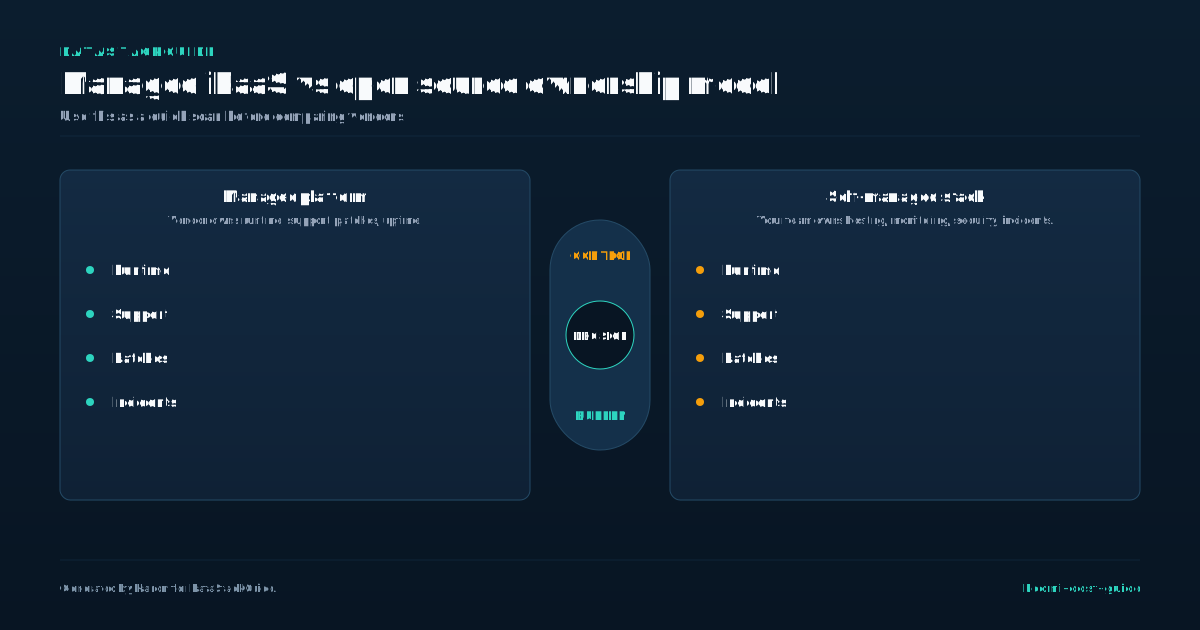
Deployment choice also changes who owns the operational burden. A cloud option may reduce infrastructure work, while an on-premise or hybrid option can introduce internal monitoring, network, certificate, and security tasks.
Put those tasks beside the vendor quote during planning. List the integration engineer time, security review time, platform support work, and monitoring ownership needed for each deployment option.
Put those tasks beside the vendor quote during planning. List the integration engineer time, security review time, platform support work, and monitoring ownership needed for each deployment option.
Choose the deployment pattern your team can operate during incidents, not only the one that looks cheaper.
Licensing Tiers and What They Include
Boomi offers multiple editions-Basic, Professional, and Advanced-each with different feature sets. Basic supports simple integrations but lacks advanced monitoring or governance. Professional adds workflow complexity and API management.
- Advanced includes full lifecycle management and enhanced security controls.
- Upgrading tiers increases cost but may be required for compliance or scale.
- Features like API gateway access or data quality tools are often add-ons, not included by default.
Tier discussions should start from required capabilities, not from the lowest entry price. Identify which features are mandatory for audit, error handling, API exposure, environment promotion, and team administration.
If a required control only appears in a higher package or add-on, include it in the first estimate. Otherwise the project can pass budget approval with a configuration that cannot safely run in production.
This is also where procurement language matters. Ask which features are included, which are optional, which require a different edition, and which require a separate product line or partner package.
Review edition requirements with security and operations before procurement treats the base package as complete.
Hidden Costs Most Teams Overlook
The software license is only part of the bill. Internal labor to design, test, and maintain integrations often dominates total cost. Training for developers, time spent troubleshooting Atom connectivity, and managing certificate rotations add up.
- Data prep work before ingestion into Boomi workflows is rarely accounted for in initial estimates.
- Downtime during upgrades or Atom restarts also carries operational cost, especially in tightly coupled systems.
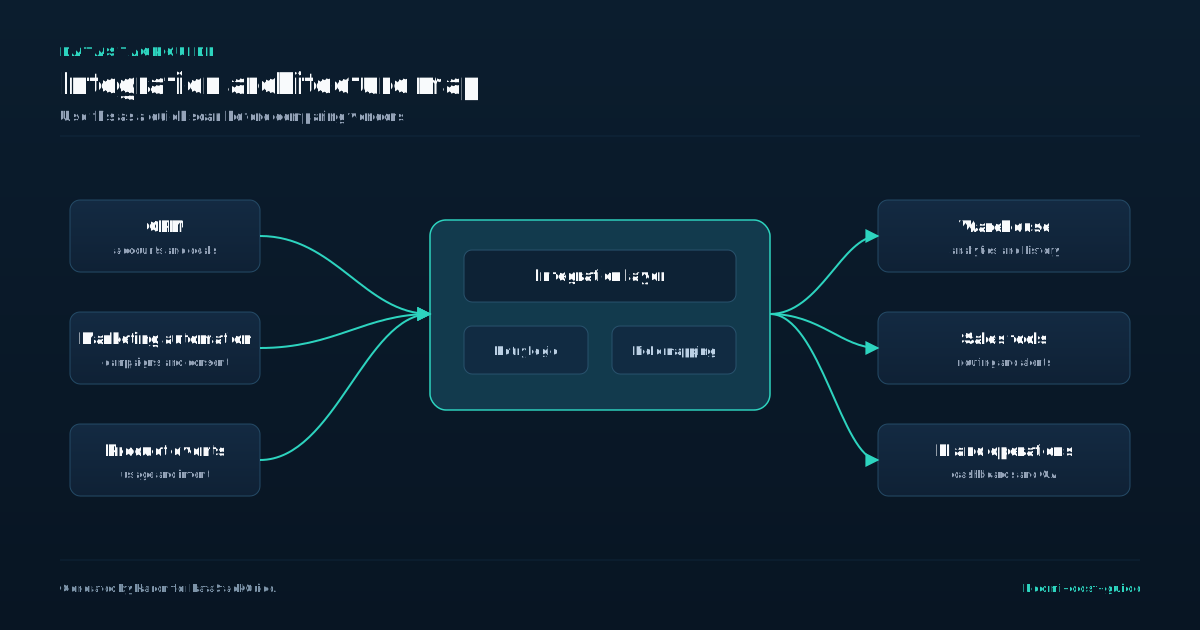
The hidden-cost pattern is usually predictable. Teams underestimate testing, exception handling, monitoring, and ownership after launch. They also forget that every integration becomes part of an operating process.
A realistic estimate should include build time, review time, support ownership, incident response, and future changes. If no team owns those items, the software quote is only a partial number.
Hidden costs become easier to control when each workflow has an owner. Assign who monitors failures, who updates mappings, who approves changes, and who decides when an integration should be retired.
Name the owner for each integration before launch so support work does not become shared but invisible labor.
Professional Services and Implementation Realities
Boomi’s professional services team or partners can help set up initial integrations, but their rates are premium. Many organizations underestimate the time needed to map legacy data formats, normalize schemas, or debug connection timeouts. A typical engagement includes environment setup, Atom configuration, and initial workflow builds.
Implementation help can be worth it when the project has unfamiliar systems, messy source data, or a tight launch window. The mistake is treating services as a substitute for internal ownership.
Even with a partner, your team still needs to understand the integration logic, failure paths, credentials, and release process. Otherwise every change becomes a paid dependency.
If you use a partner, ask for documentation as a deliverable. The handoff should explain mappings, schedules, credentials, alerting, retry behavior, and known limitations in language your team can maintain.
Keep partner-built workflows simple enough for your internal team to inspect, modify, and troubleshoot later.
Scaling: When Boomi Costs Start to Creep
Initial pilots often look cost-effective. But as teams build more integrations, PU consumption rises. Adding real-time syncs instead of batch jobs increases processing load.
- Monitoring, logging, and error handling also become more complex.
- Governance overhead grows-especially if multiple teams use the same Boomi org.
- Without centralized oversight, you risk duplicate Atoms, unmanaged credentials, and untracked usage that inflates cost.
Cost creep usually starts after the first successful workflows. More teams ask for integrations, more exceptions need handling, and reporting requirements become more detailed.
Set governance rules before that happens. Decide who approves new Atoms, who reviews duplicate workflows, who monitors usage, and who retires stale integrations.
Review usage monthly during the first production quarter. That cadence gives finance and operations enough time to spot capacity drift before renewal conversations or urgent expansion requests.
Create a usage review habit before expansion requests arrive from every team with a new integration idea.
How to Estimate Your Boomi Spend
Start by inventorying integration points and data volumes. Classify each by complexity-simple file moves, multi-step orchestrations, or API-heavy workflows. Use Boomi’s PU estimator as a starting point, but pad for variance.
- Factor in deployment choice: on-prem saves licensing but adds internal labor.
- Budget for professional services if you lack in-house expertise.
- And assume internal effort will exceed vendor estimates-especially for testing and exception handling.
A useful estimate has three numbers: the vendor quote, the implementation budget, and the internal operating cost. The vendor quote is only one part of the decision.
Build a simple range rather than a single figure. Use a conservative case for pilot scope, a likely case for the first production year, and a high case for growth or real-time workloads.
The best estimate is boring but explicit. It names assumptions, includes a buffer for messy data, and states which usage changes would require a new commercial conversation.
Use the high case to decide approval limits, escalation rules, and when the business should revisit architecture.
That gives finance, operations, and integration owners the same working model before contract changes become urgent.
It also makes tradeoffs visible when the team chooses between capacity, support effort, and implementation speed.
Before renewal.
Sources
Frequently Asked Questions
Does Boomi charge per integration?
No, Boomi does not charge per integration. It uses Processing Units based on data volume and workflow complexity. A single high-volume integration can cost more than several lightweight ones.
Can I run Boomi on my own servers?
Yes, Boomi allows on-premise Atom deployment. You manage the infrastructure, which reduces per-unit processing fees but requires internal resources for maintenance and security patching.
Are there minimum annual commitments?
Yes, Boomi typically requires annual contracts with a committed PU allowance. Downgrades or early termination may not reduce fees, and usage above the allowance can incur additional charges.
Is the Boomi API gateway included in standard pricing?
No, API gateway functionality is part of higher-tier editions or sold as an add-on. Access control, rate limiting, and API lifecycle features are not available in all licensing levels.
How do I monitor my Boomi costs in real time?
Boomi provides usage dashboards that track PU consumption by Atom and process. You can set alerts and review logs to identify high-usage workflows. Regular audits help avoid overages and optimize inefficient processes.

Rome Thorndike
Rome Thorndike is the CEO & Founder of Provyx, which provides GTM intelligence and data validation for healthcare companies, including EngagedMD and BTL Industries. He led sales at Datajoy, acquired by Databricks, and sold analytics and enterprise platforms at Microsoft and Salesforce.
Connect on LinkedIn